Guide
Why Your AI Video Doesn't Look Like You, and How to Fix It
Short answer
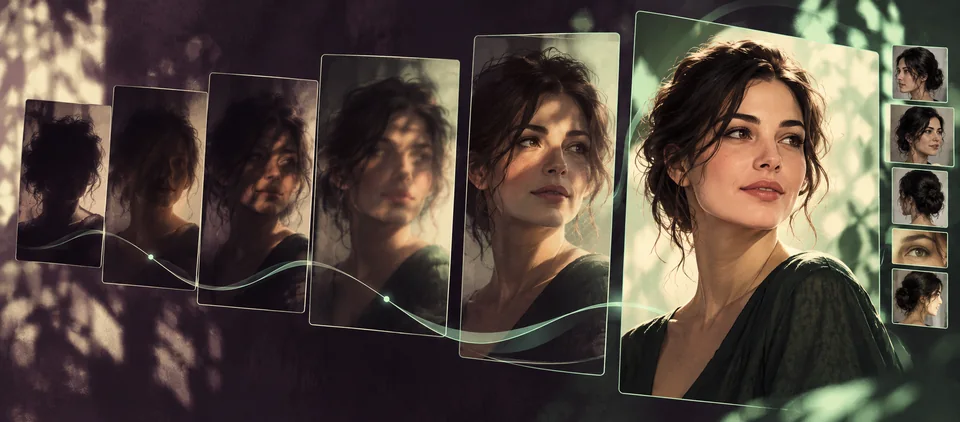
A video model rebuilds your face in every frame from what it can see in your photo, so anything that hides or distorts the face (an angle, a shadow, a filter, sunglasses, a tight crop, a group shot) lets it drift. Use one sharp, front-facing photo per person in even light, keep the face fully visible, and test at 480p before paying for higher quality. On VideoEffect, Hotel Lobby AI first redraws each photo as a full-length studio portrait for this reason.
- One person per photo
- Front-facing, even light
- No filters or sunglasses
Updated
Why the face changes
A photo is a single angle. When the video turns your head, smiles or moves the camera, the model has to invent the parts it never saw. The less it can see in the photo, the more it invents, and the more the face drifts from shot to shot.
- Angle: a three-quarter selfie hides one side of the face.
- Light: a shadow over half the face reads as a different shape.
- Filters: smoothing and face-shaping filters change the features the model copies.
- Covered faces: sunglasses, masks, hair or a hand.
- Crops: a face cut at the chin leaves the body to guesswork, and a tiny face in a wide shot gives too few details.
- Group photos: the model may borrow features from the wrong person.
The photo that works
| Use | Avoid |
|---|---|
| One person, looking at the camera | Profile or three-quarter selfies |
| Even daylight or indoor light | Hard shadows, backlight, night shots |
| No filter, the camera’s own photo | Beauty filters and heavy edits |
| Waist up or full length, sharp | Blurry, tiny or cut-off faces |
| Face fully visible | Sunglasses, masks, hats over the eyes |
Hands and faces in motion
Hands and faces are where AI video breaks first, because they move fast and change shape. Calm, steady motion keeps them cleaner: a fixed camera, few cuts, and hands that stay in view. The effects on this site use fixed scenes for that reason: the Hotel Lobby booth has one locked camera, and the clip effects follow one real take.
Tips for each effect
| Effect | What helps the likeness |
|---|---|
| Hotel Lobby AI | Each photo is redrawn as a full-length studio portrait first, so a clear face matters more than the background |
| Bulin 47 AI | The photo is redrawn as a full-length portrait and then goes up beside it for the face: one subject, front-facing |
| Burning Bridges AI | The photo goes onto the scene as it is: a sharp photo of one person, face toward the camera |
Settings that help
- Test at 480p first; if the face holds there, it will hold at 720p.
- Shorter videos give the face fewer chances to drift.
Why does my face change between shots?
The model rebuilds the face in every frame from one photo. Angles, shadows, filters and covered faces leave gaps it fills in differently each time.
Will more photos help?
Every effect takes one photo per person, so pick the best one rather than adding more.
Should I use a filtered selfie?
No. Beauty filters change the features the model copies. Use the camera’s own photo.
Can I use a photo of a child?
Yes, if you are the parent or guardian of the child, or have their agreement. Any sexual or suggestive content involving a person under 18 is forbidden and is blocked by the content check.
Read next
- All effects
Why AI Video Generations Fail, and Do You Get Credits Back?
The usual reasons an AI video fails, what is charged and refunded when it does, and a checklist to avoid them.Updated - Hotel Lobby AI
Hotel Lobby AI With One Photo of Two People
How one photo of the two of you becomes both performers in the booth, which pictures work and which do not.Updated - Hotel Lobby AI
Who to Put in the Orange Booth: Hotel Lobby AI Pairings
Twelve duos for the Hotel Lobby trend, from a dad’s birthday to the office, with who raps, who hypes and which sound fits.Updated


VideoEffect is an independent site. Trend names, songs and tools named here belong to their owners, who are not connected to VideoEffect. Prices and limits for VideoEffect come from the site itself; facts about other tools are from their own pages on the date shown in Sources.